

How to add a coach?
Updated January 16, 2025
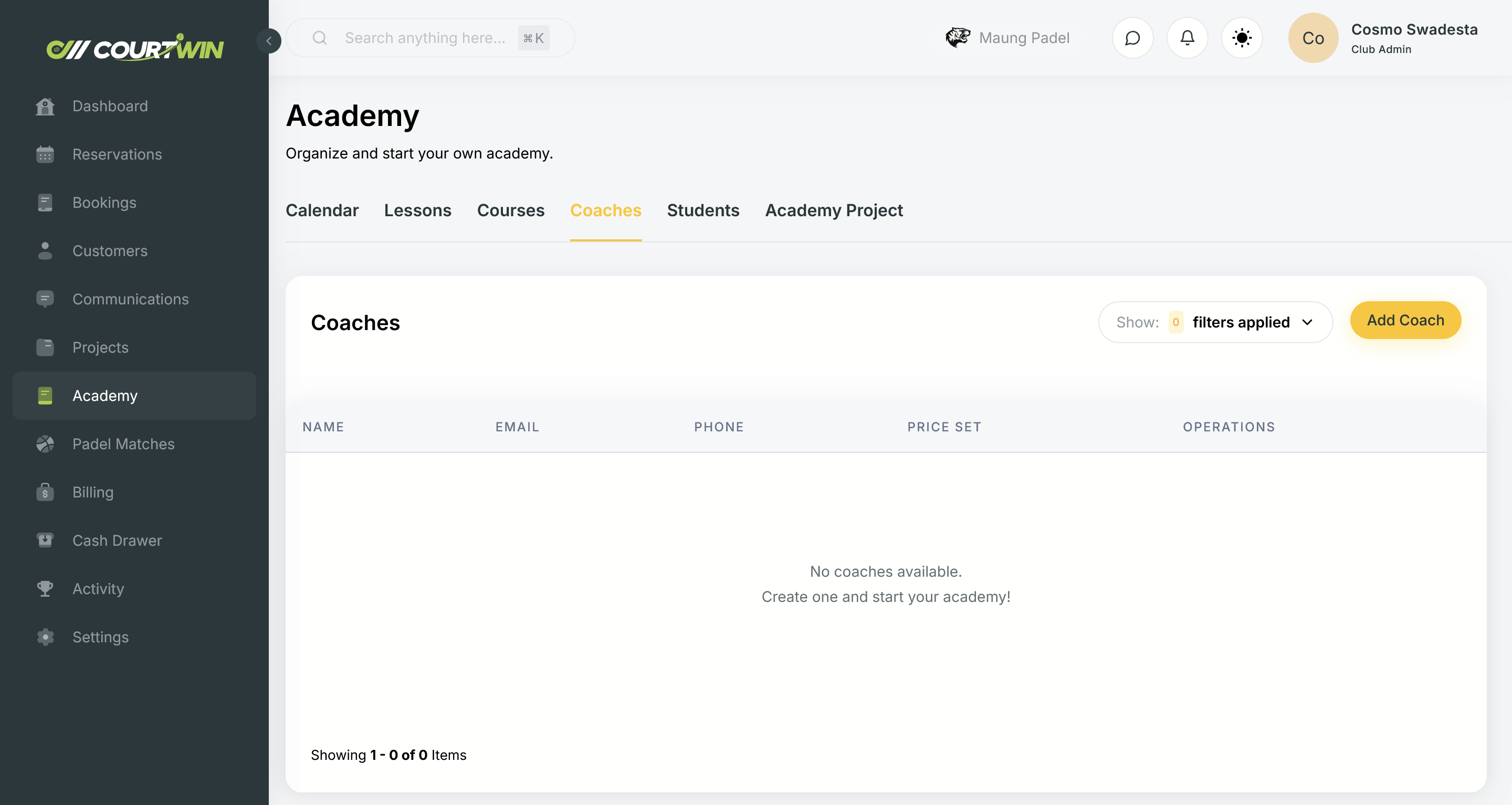
- Go to the Academy menu > select the Coaches tab.
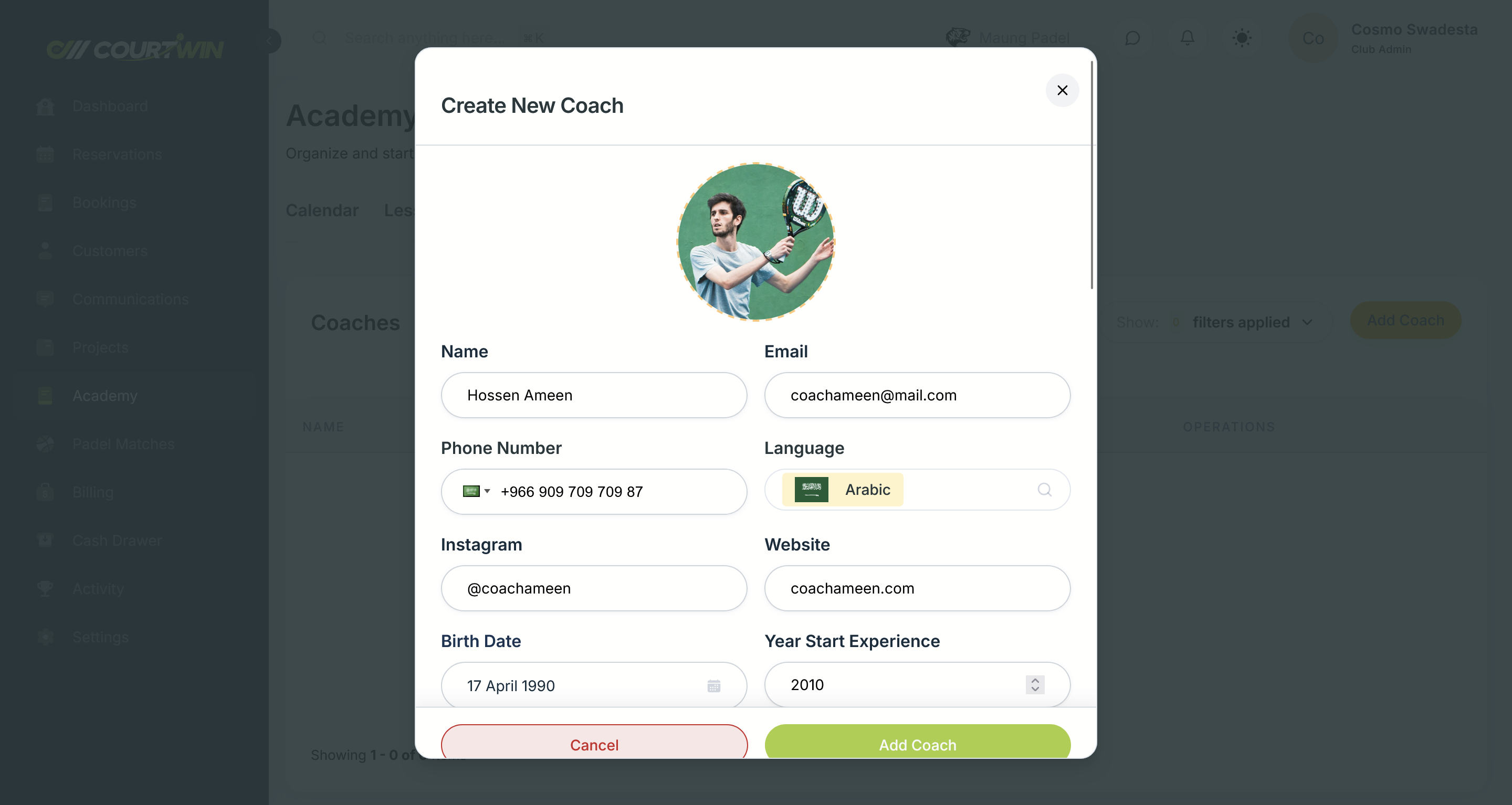
- Click the Add Coach button, and a pop-up will appear.
- Add a photo, name, email, phone number, and language.
- Then, write the coach’s Instagram, website, birth date, and year start experience. These fields are not mandatory, but it would be better to give the complete information about the coach.
- Add a description related to the coach.
- Add the coach's academy logo, if any.
- Add experience and achievement to make it more complete.
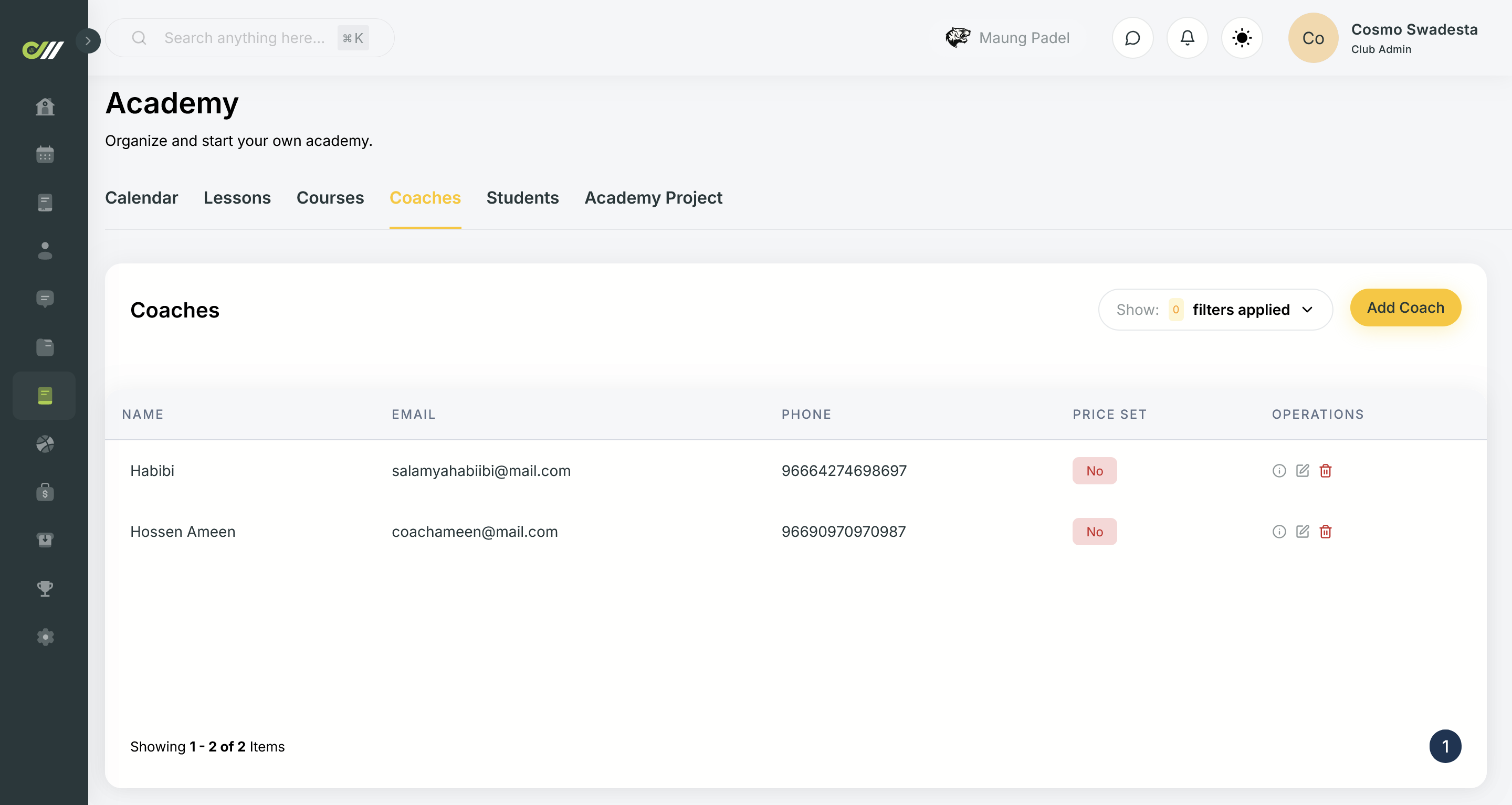
- Don't forget to save the data by clicking the Add Coach button.
Did this guide help?