

Create an account in Courtwin Admin
Updated January 16, 2025
The purpose of creating an account here is to manage activities related to the club. However, the level of access will depend on the role selected.
How to create an account in Courtwin Admin?
- Go to admin.courtwin.io.
- Click on the “Create account” button.
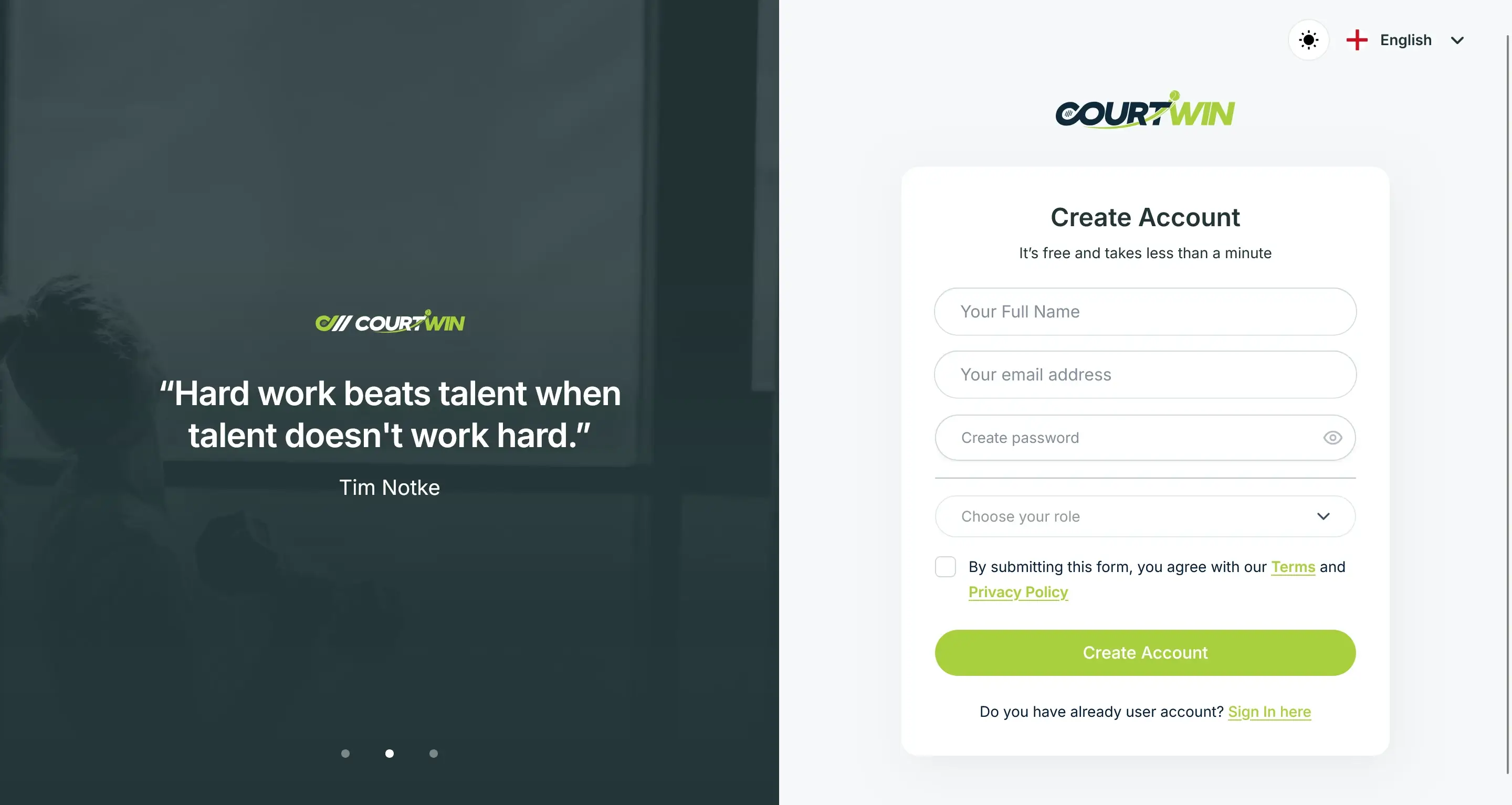
- Type your full name, email address, and create your password.
- Choose your role. When you create a new account, there are three roles you can choose. Here are the differences:
- Club Admin: An account to manage your club as an administrator. With this role, you’ll have full access to all of the Courtwin Admin features.
- Club Employee: An account in your role as an employee, a Club Admin needs to register you first through the Admin Manager feature.
- Independent Coach: An account to manage your club as a coach. With this role, you’ll have full access to all of the Courtwin Admin features.
- Fill in additional fields if any.
- Don’t forget to read and check our Terms and Privacy Policy.
- Click “Create Account” button.
- A popup will appear when the account verification email is ready.
- Open the email and press the “Verify Email” button.
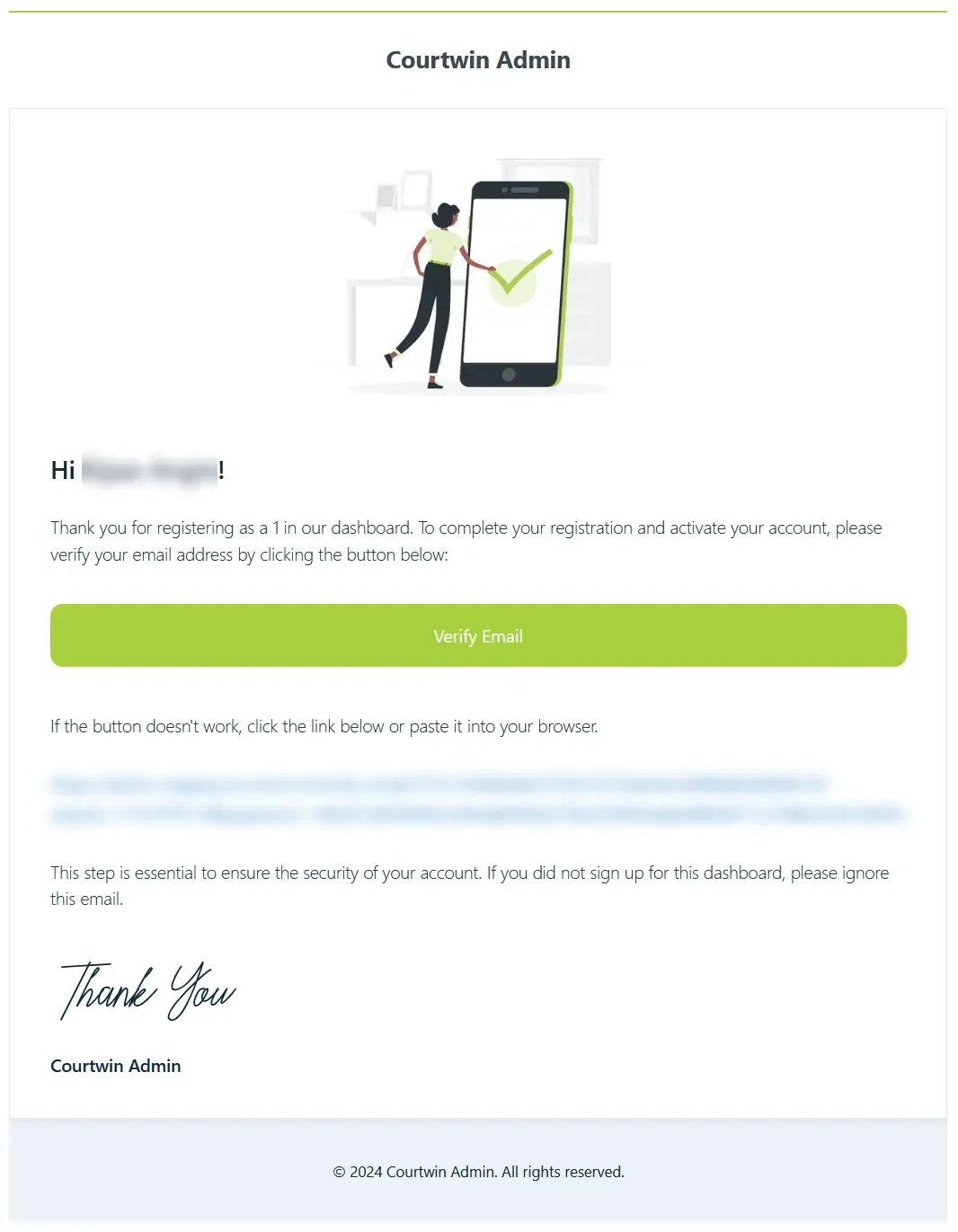
- You’re ready to further set up and manage your club’s account.
Club’s onboarding setup
After successfully creating a new account, the next step is to setup some of the club's primary information. There are 6 primary informations, they are:
- Basic Information: Complete your club's basic information.
- Pin Location: Mark your club’s location.
- Facilities: Pick the option that fits your club's available facilities.
- Open Hours: Determine your club’s open hours.
- Courts: Add information that matches your court's condition.
- Prices: Set prices for all your courts.
ℹ️ Later, if something needs to be changed, you can change it in the Settings.
Did this guide help?